
Hush Clipboard
Everything you copy. None of your secrets.
A clipboard history for your Mac, one keystroke away. It refuses to keep anything your password manager hands you, finds things by what they meant, and answers questions with the AI already on your Mac. Nothing is uploaded.
Coming soon to the Mac App Store. One email on launch day, nothing else. See what it does
The rules
A clipboard history
that knows what not to keep.
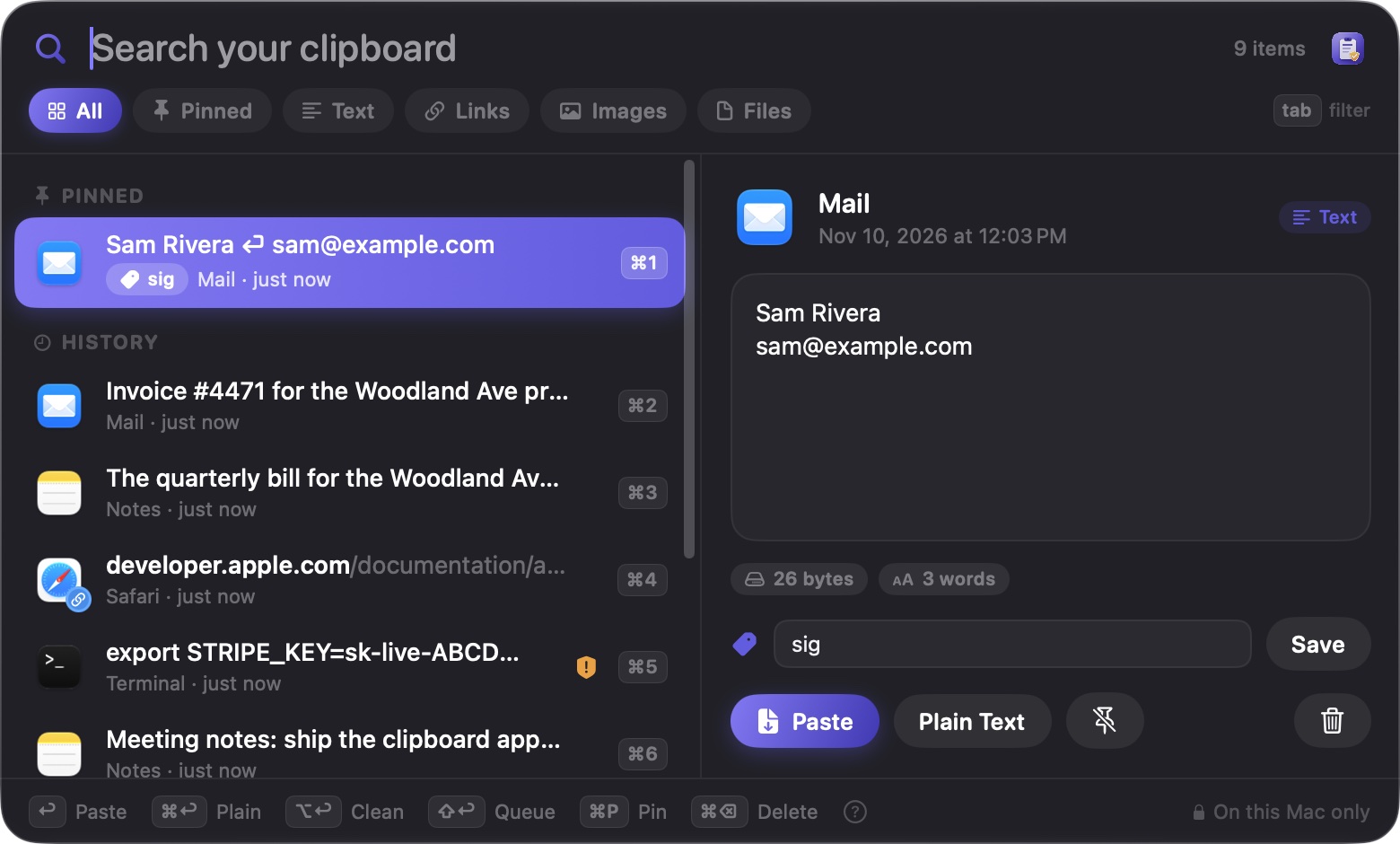
Most clipboard managers save everything, including the password you just pasted. Hush Clipboard has rules that cannot be switched off.
Password managers are honoured
1Password, Bitwarden, the Passwords app and others mark what they copy as concealed. Those copies are never saved.
Password fields stop capture
While a password box has focus anywhere on your Mac, nothing you copy is kept.
Secrets are flagged
API keys, tokens, private keys and card numbers that slip through are marked, and one click forgets them all.
What it does
Copy once.
Paste it whenever.
Search by meaning
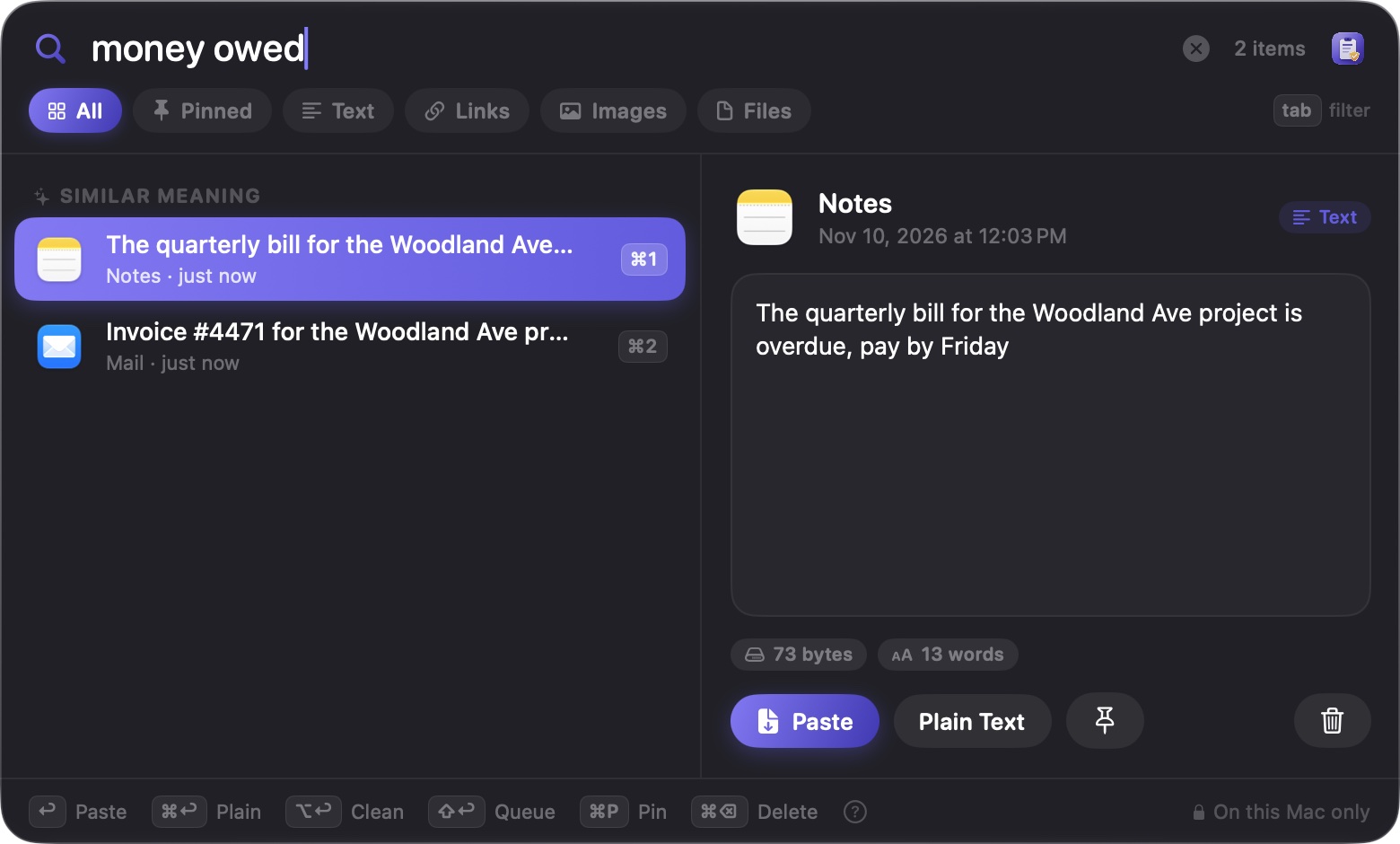
Find it by what it meant.
Type "money owed" and find the invoice and the overdue bill, without either word. Text in screenshots is read on your Mac and becomes searchable too.
Private by design
Nothing to trust, because nothing is sent.
No server, no account, no analytics.
Paste it your way
Plain, clean, or reshaped.
Paste as plain text. Paste a link with the tracking tags stripped. Change the case, make it one line, turn it into a Markdown link, pretty-print JSON.
shop.example.com/item?id=7
shop.example.com/item?id=7
The paste queue
Collect five things. Paste them into five fields.
Queue items from the panel, then paste them one after another into a form, in order.
Pins
What you paste every day, on top.
Pin a signature or an address, give it a keyword, and it is always first.
Ask your clipboard
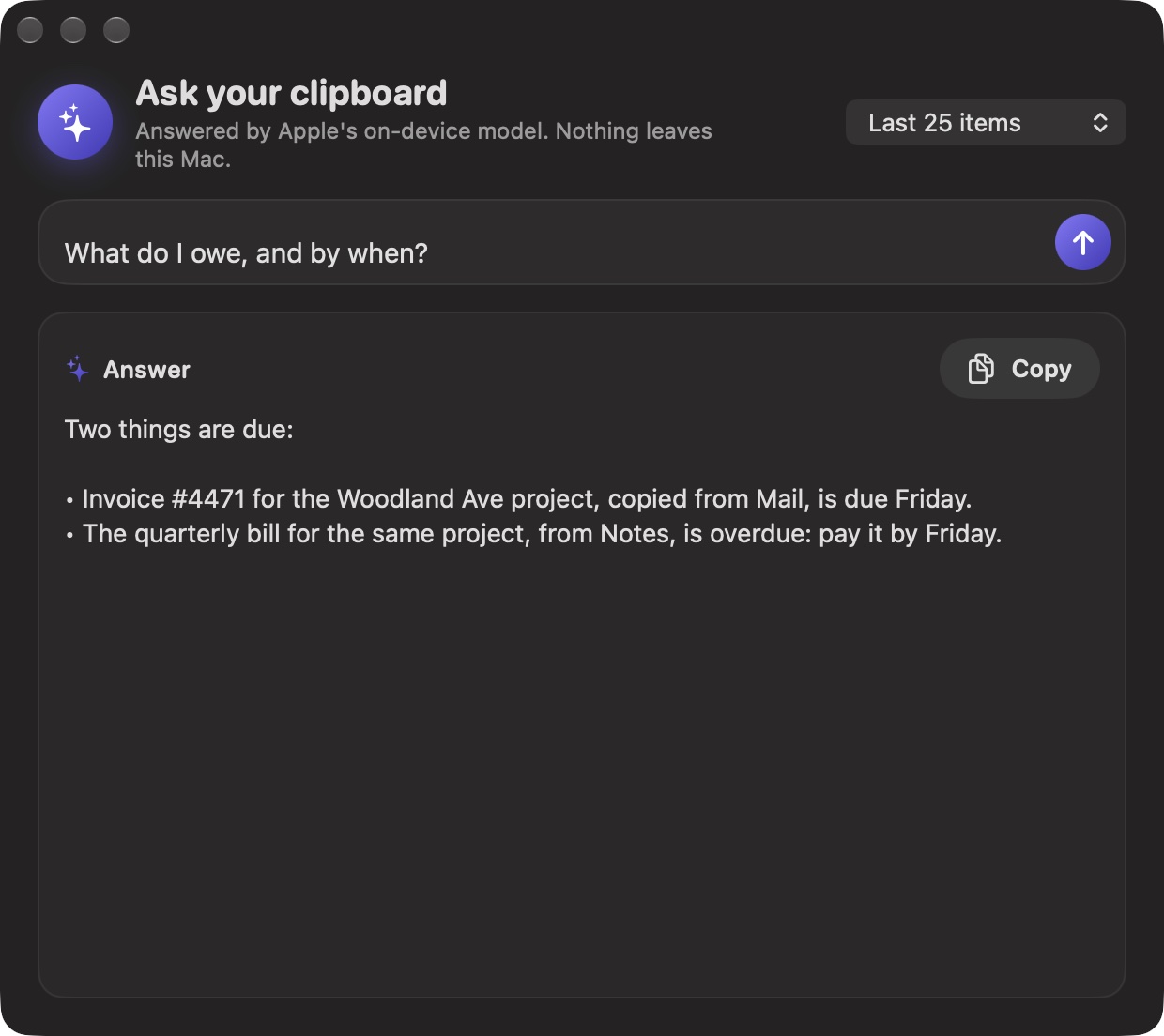
"What was the tracking number I copied this morning?"
Apple's on-device model answers from your recent copies. Nothing is uploaded, and there is no AI bill.
Your other Macs
Pins that travel.
Through a folder you already sync, or straight to your own Macs on the same network, paired by code.
Shortcuts
Automate it.
Shortcuts actions and a URL scheme to search, copy, paste and pause.
Your limits
Keep as much as you want.
By days, by number of items, or by size. Or keep nothing past the session.
Privacy
Your clipboard sees everything you copy. So Hush Clipboard keeps it on your Mac, skips your passwords, and sends none of it anywhere.
No account, no tracking
Nothing to sign in to. No analytics, no crash reports, no ads. The App Store label is Data Not Collected.
The AI is on your Mac
Search by meaning and Ask use Apple's own models on your Mac. Private Cloud Compute is never used.
Forget on demand
Pause capture, exclude any app, delete one item, every flagged secret, or everything.
Price
One price. Yours for good.
US dollars, once, on the Mac App Store.
- Every feature
- No subscription
- No in-app purchases
- English and Spanish
Coming soon to the Mac App Store. We email you once, on launch day.
Questions
Good things to ask first.
Does anything leave my Mac?
No. Your history is kept on your Mac. Search by meaning and Ask run on your Mac with Apple's own models. The only network use is one you choose: sharing pins and recent copies with your own Macs on the same network, which is off until you turn it on and pair them by code.
How does it know what is a password?
Password managers mark what they copy as concealed, and Hush Clipboard never saves those. It also saves nothing while a password field has focus, and nothing from apps you exclude; the common password managers are excluded from the start. Anything that still looks like a key, token or card number is flagged.
Why does it ask for a permission to paste?
So that choosing an item pastes it into the app you were using. In System Settings it is Accessibility, called Device Control and Data Access on macOS 27. Without the permission, choosing an item copies it and you press ⌘V yourself. Everything else works either way.
Do I need Apple Intelligence?
Only for Ask. History, search, pins and secret protection work on macOS 14 and later. Ask needs macOS 26 with Apple Intelligence turned on.
Is there an iPhone version?
No. iPhone and iPad do not let an app keep a clipboard history in the background, so Hush Clipboard is made for the Mac.
Is it a subscription?
No. US$9.99 once on the Mac App Store, with every feature. No in-app purchases.